
Views: 0 Author: Site Editor Publish Time: 2025-06-21 Origin: Site


Ever wondered why your phone takes so long to charge? Speeding up battery charging is crucial for efficiency and device longevity.
In this post, we’ll explore how to charge your battery faster and the factors that impact charging speed. You’ll learn about different chargers, battery types, and tips for optimizing charging times.
The type of charger you use can significantly impact how fast your battery charges. Standard chargers typically offer slower charging speeds compared to fast chargers, which provide higher power outputs to charge batteries more quickly.
USB charging uses lower power and is slower.
DC fast charging delivers higher voltage and current, allowing for much quicker charges, especially for electric vehicles (EVs).
Wireless charging is more convenient but slower compared to wired charging methods. While it's useful for devices like phones, it typically charges slower due to less efficient energy transfer.
Smart charging technology adapts to your battery’s needs, adjusting power output for optimal speed while ensuring the battery's safety during charging.
Different types of batteries charge at different speeds, depending on their chemistry and design. For example, lithium-ion and lithium-polymer batteries charge faster compared to older lead-acid batteries.
Lithium-ion batteries are commonly found in modern devices and are known for their fast-charging capabilities.
Lithium-polymer batteries, used in some smartphones, also charge quickly with less risk of swelling.
Lead-acid batteries take longer to charge due to their design and are typically used in older cars or machinery.
Additionally, the battery capacity plays a role. Larger batteries, such as those in electric vehicles, will take longer to charge than smaller ones due to their higher storage capacity.
The input voltage and charging current are key factors in determining charging speed. A higher voltage (measured in volts) can increase charging speed, while the current (measured in amps) affects how much energy flows into the battery at once.
A higher amp rating delivers more energy, thus speeding up the charging process.
The balance between amps and volts is crucial. Too much current without adequate voltage can damage the battery, while too little may result in slow charging.
Understanding how amps and volts work together is essential for choosing the right charging setup to achieve faster charging.
Ambient temperature plays a critical role in how fast a battery can charge. Charging in cold environments can slow down the process, while high temperatures can speed up charging but may increase the risk of overheating.
Cool temperatures are ideal for charging, as they prevent overheating.
Hot temperatures can make batteries charge faster but can also cause permanent damage to the battery over time if not monitored.
It's important to monitor charging conditions and ensure the battery doesn’t overheat, as extreme temperatures can lead to battery degradation and slower overall charging speeds.
Using a high-wattage charger can significantly speed up the charging process. These chargers deliver more power, allowing your battery to recharge faster. For example, fast-charging adapters are designed to handle higher currents, ensuring quicker energy transfer. Ensure that the charger is compatible with your device to take full advantage of its fast-charging capabilities.
The quality of your cables and the ports you use play a big role in charging speed. High-quality cables ensure better conductivity, allowing more efficient energy transfer. Opting for USB-C ports is crucial, as they provide faster speeds compared to older USB-A ports. Always use cables rated for fast charging to avoid slow speeds.
Cool environments are ideal for faster charging. High temperatures can reduce charging efficiency and damage the battery over time. If you’re charging in a hot environment, it might take longer for the battery to reach full capacity. Keeping your device in a cool place while charging helps speed up the process and protects battery health.
Turning off your device or putting it in airplane mode can make charging faster. When your device is off, it’s not consuming power for background processes, which allows the battery to charge more quickly. Using your device while charging can slow the process due to continuous energy consumption for apps and features.
While wireless charging is convenient, it’s often slower than wired charging methods. Wireless charging generates more heat and is less efficient at transferring power to your device. If you're looking for a quick power boost, wired charging is the faster option, especially when using high-speed charging cables and adapters.
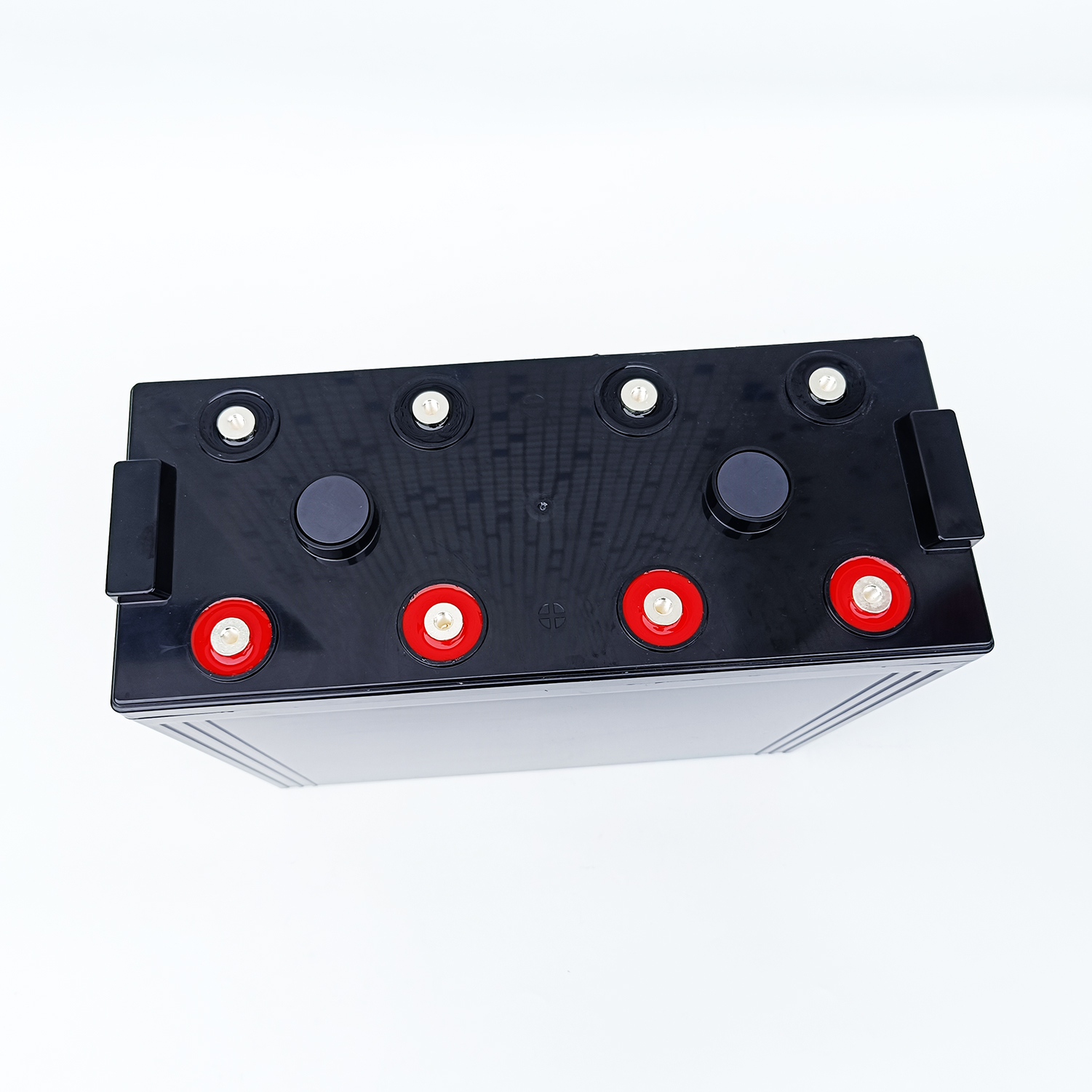
When charging faster, the battery generates more heat. If not properly managed, this can cause overheating. Excessive heat damages the internal components, leading to battery degradation. It’s crucial to prevent this by using a quality charger and charging in a cool environment.
Charging too quickly, especially on high-capacity batteries, increases the strain. Overheating reduces the battery’s ability to hold a charge, shortening its overall lifespan.
Most modern devices come equipped with a Battery Management System (BMS), which helps protect your battery during fast charging. The BMS monitors the voltage, temperature, and charge cycles, ensuring that the battery doesn’t overcharge or overheat.
The BMS helps control charging speed and uses overcharge protection and temperature sensors to prevent damage. This technology ensures your battery’s safety even during rapid charging sessions.
Quick charging can affect your battery’s lifespan over time. Although fast charging is convenient, it generates more heat and stresses the battery. If done too frequently, it can lead to capacity loss and reduced charging efficiency.
To maintain battery health while still enjoying fast charging, charge in optimal temperature conditions and avoid overcharging. Using smart chargers that adjust based on battery conditions can help reduce wear and tear.
Fast charging relies on advanced technology to deliver higher currents and voltages, reducing charging times significantly.
Qualcomm Quick Charge and USB Power Delivery (USB-PD) are two key fast-charging standards. Quick Charge allows for higher voltage (up to 12V), delivering faster charging speeds, while USB-PD offers even more flexibility with higher currents and adjustable voltages. These technologies make it possible to charge devices much faster than traditional chargers by increasing the power delivered to the battery.
For electric vehicles (EVs), DC fast charging plays a crucial role in reducing long charging times. Unlike standard AC charging, DC fast charging delivers power directly to the battery, bypassing the car’s onboard charger.
Level 1 charging uses a standard 120V outlet, delivering 2-5 miles of range per hour of charging, which is slow. Level 2 chargers use 240V and can charge an EV at a rate of about 10-20 miles per hour, taking 4-8 hours for a full charge.
DC Fast Chargers can charge an EV up to 80% in as little as 30 minutes, making them the quickest option for long trips or when time is limited.
Many believe charging overnight can harm your battery, but modern smartphones and chargers are designed to prevent overcharging. Smart charging technology ensures that once your battery reaches 100%, it stops charging, preventing any damage. Charging habits, like overnight charging, won’t affect your battery’s longevity if you use the proper charger. So, don’t worry about keeping your device plugged in overnight—it’s safe.
It’s common to think that a higher voltage charger will always result in faster charging, but this isn’t always true. The key to optimal charging is balancing voltage and current. Using a higher voltage charger might not make a difference if the current isn’t properly regulated. Fast charging is more about compatibility between the charger and battery capacity. A well-matched charger will always be more efficient than simply using a high-voltage one.
Many people believe that letting their battery drain completely before charging improves battery cycles. In reality, lithium-ion batteries, which most modern devices use, prefer partial charging. Draining the battery to 0% before charging can harm the battery in the long run, reducing its lifespan. It’s better to keep your battery between 20-80% for optimal health and efficiency.
Charging speed depends on factors like charger type, battery chemistry, and charging method.
To charge faster, use the right charger, avoid extreme temperatures, and manage charging habits.
Balancing charging speed with battery health is crucial for maintaining long-term performance and longevity.
A: Fast chargers can reduce charging time significantly, typically charging most devices to 80% in about 1-2 hours.
A: No, charging in cold temperatures can actually slow down charging and damage the battery. Moderate temperatures are best.
A: Check if your charger supports the fast charging standard compatible with your device, such as USB-C Power Delivery or Qualcomm Quick Charge.


